StudyBlue Creates On-the-Go Flashcards

StudyBlue has the hippest layout since Tumblr and an excellent flashcard feature, to boot.

If you’re looking for a browser-based note-taking and flashcard tool, StudyBlue may be your new favorite site. Because the service is targeted specifically at students, it’s organized in ways that closely mirror the binders of notes that it hopes to replace: data is organized by classes, and the two content options (note and flashcards) closely mimic their analog counterparts. However, unlike paper-based notes, these are accessible from any browser and can include rich text, sound, and images.

The easy-to-use interface and text formatting tools are strong points for the service. Sign-up takes thirty seconds, and only requires visiting the site’s front page and clicking an email confirmation link. The formatting tools work just like they would in a desktop text editor, but they focus on what’s useful for note-taking: lists, indentations, colors, and super- and subscript. I know that the science, tech, math, and engineering students I know have trouble taking computer notes because equations are difficult to type out. The dedicated super- and subscript buttons could make typing out STEM equations worlds easier. StudyBlue has nailed a feature that is rarely implemented as well or as cleanly as it is with the service. There is also a non-English character button, but cycling through it to get to the right Greek letter is probably less efficient than just learning the keyboard shortcuts for the letters.


Read the rest at HackCollege.

Microsoft Open House: The Review

Windows phone 7 was the star of the event. It was, to its credit, very pretty.

As you saw last week, I was able to interview Steve Ballmer as part of the Microsoft Open House. But that was really a small portion of the overall event. Most of the day was spent on the launch and demonstration of the new, the shiny, Windows Phone 7. Microsoft will be releasing three of the phones on AT&T for $199.99 in the coming months, and there will eventually be 9 phones released–the next carrier set to get them is Verizon, which will see them next year.

Before we start anything: the new Windows 7 phones don’t have a copy and paste feature. They will get it starting next year.

Moving on: Microsoft completely overhauled the Windows Phone interface for Phone 7, and it shows. The focus of the new phones is on the devices as extensions of people. As a result, it’s possible to add individual contacts to your desktop as apps. Their app will update with their latest Facebook or Windows Live updates, so you don’t have to enter into the app itself to see what your friends are up to. Unfortunately, the contacts apps aren’t integrated into Twitter–and the Microsoft representatives were a little cagey as to when (of if) that would happen. There is a dedicated Twitter app; however, it’s not dynamic at the main screen level.

Read the rest on HackCollege.

HackCollege Interview: Steve Ballmer, CEO of Microsoft

Steve Ballmer, CEO of Microsoft. Image courtesy of Flickr user JD Lasica. Licensed under CC 2.0 BY-NC.

FTC Disclosure: Microsoft paid for my trip to New York, my hotel, and my food. Blogging is awesome!

It’s a weird thing to sit down with $14.5 billion, but on Monday I did just that. As part of the Windows Phone 7 launch at the Microsoft Open House, I had the chance to sit down with Steve Ballmer, CEO of Microsoft, and ask him about the future of Microsoft’s relationship with students–especially in light of their release of Windows Phone 7–the future of technology, and what students should be doing to break into tech fields.

We started off the interview talking about Windows Phone 7, as the press conference about the new phones had happened just a few hours earlier. Ballmer was, unsurprisingly, adamant that he thinks Windows Phone 7 phones are the best choice for college students. He said that user experience with Android phones is patchy–it’s hard to know an Android phone is an Android phone when you pick it up–and iPhones only offer one model, ignoring that some people might want a QWERTY keyboard or different speakers. He’s of the opinion that giving students a “consistently delightful” (yes, that’s really the slogan) user experience over a variety of phones will draw them back from competing smartphone options. Whether that’s true or not remains to be seen, but for middle-of-the-road users (people who don’t want to root their Android phone and who want something more rugged than an iPhone), he may have steered Microsoft towards a winning strategy.

Read the rest on HackCollege.

Back from New York

I just came back from my whirlwind Fall Break weekend trip up to New York for Microsoft’s Open House. (The trip was sponsored by Microsoft and run by uniformly delightful people, so I feel bad that I’m writing this on a MacBook. Not enough to switch, but, y’know, bad.)

Managed to start the trip off with a solo subway trip from the swanky hotel (in which I was not able to work the elevator, because I am not wealthy enough for that kind of crazy) to the American Museum of Natural History. I managed to unintentionally stumble onto their 10th anniversary celebrations on 10/10/10 for the Rosa Space Center. There was acapella music done by astrophysicists in addition to the normal battery of amazing bones and things. I was delighted.

I even got to commune with my friend the giant ground sloth!

It was more fun this year (in addition to just being nerdy) because I’m in Biological Anthropology, and the Human Origins hall was basically just a collection of the things that will be on my next test, except that they may have actually been real and certainly weren’t made out of plaster. Turns out the American Museum of Natural History is better funded than Oxford. Shocking, I know. I’ll let you catch your breath. Continue reading

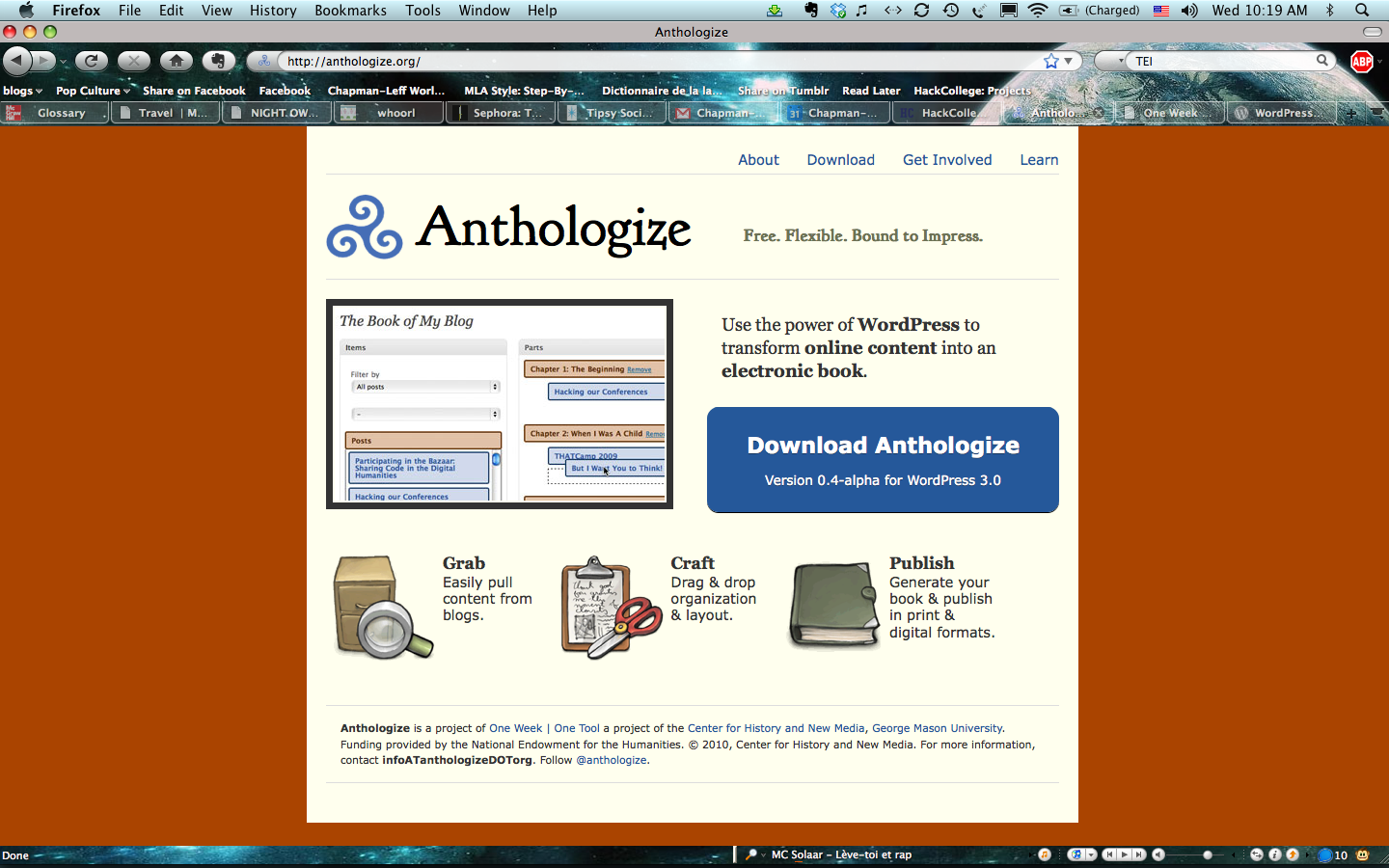
Anthologize Heads the Next Generation of Self Publishing

Anthologize is decked out in the soothing orange and cream color scheme of progress.

If you’ve got a blog running WordPress (the self-hosted .org variety), Anthologize is a plugin which will allow you to publish your posts as a PDF, ePub, or TEI (a scholarly file format). There’s also an RTF option, but the creators point out that it’s still buggy. There is not currently an option to export files as DocX or ODT, but the program’s creators say it’s a feature to look for in future builds, along with the ability to export comments left on the original posts.

Anthologize is targeted at academics–for instance, professors who kept a class blog, or someone who wants to distribute their notes about a conference, or someone who wants to publish field notes as part of a research notebook. The academic focus is a result of the plugin’s origin at the One Week, One Tool program, in which 12 humanities scholars come together and conceive of and build a useful open source digital tool within a week. The program, funded by the National Endowment for the Humanities, sees itself as sort of a digital barn raising: a group of people coming together to make something useful for the wider community.

Read the rest at HackCollege.

WebGreek Provides Information Management for Greek Life

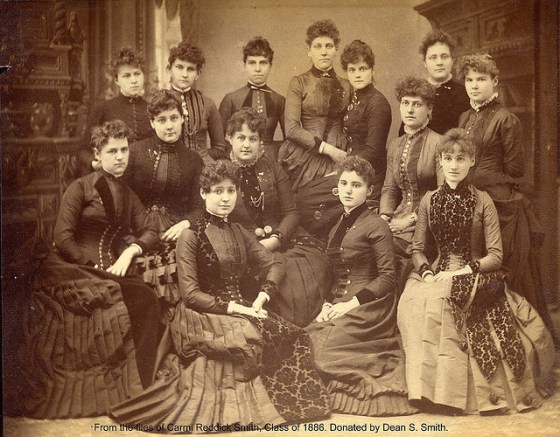
These ladies know that better information management gives you more time to perfect your grim staring and Gibson Girl hairstyle. Image courtesy of Albion College Special Collections. Licensed under CC 2.0 BY-NC-ND.

As we saw in Sean’s post, sometimes communicating with your Greek organization can present its own unique set of challenges. WebGreek is attempting to address them by making an information management suite targeted at Greek organizations.

The service isn’t free–$19/month for under 40 members, $39/month for under 100 members, and $59/month for everyone else–but they seem to be banking on the fact that Greek organizations will pay for ease of use.

Once a group signs up, it gets a chapter page on which users can see a group calendar, links to nationals, uploaded files, or whatever users have added to the public space. WebGreek has a built-in text editor and list maker, as well as plans to add a bill collection feature soon. Each chapter gets 10GB of cloud storage and 20GB of bandwith. Each individual member gets 1GB of storage to do with what they please.

Read more at HackCollege.

Make Life Easier: Ask a Librarian

Librarians: they're like superheroes in that they save you during finals and have secret lairs. Image courtesy of Flickr user Monika Bargmann. Licensed under CC 2.0 BY-NC-ND.

The school library (or, if you’re at a big school, libraries) are part of almost every college tour. Of course, in the age of digital information, the actual books contained in the library are no longer students’ most important resource at the library–instead, the librarians are.

Though often overlooked and under appreciated, librarians can make a student’s life much easier if they’re asked. Though your school may not have a program as intensive as Drexel’s personal librarian program, where freshmen get their own librarian to show them the research ropes, even the most unassuming librarian has training to help you find out what you need to know. If you’re looking for places to start, try these suggestions:

Instant Message a Librarian – Many universities have their librarians set up on Meebo, a site-nested instant messaging client that became unexpectedly very popular with the librarian community. If your university has a Meebo setup, you can anonymously ask librarians a silly or embarrassing question (where is the science building?), renew a book without going to the library, or ask them to help you when a professor has screwed up putting a book you need on reserve. A smaller number of schools even have a “text a librarian” feature for when you’re away from a browser. If your school doesn’t have either of these services set up, the Alexandrian Public Library, Texas State University Library, and Emory University Library all offer chat widgets that you can use for non-school-specific questions.

Read the rest at HackCollege.

Android Users Gain Social Homepage, Study Distraction with *Spark

*Spark Screenshot

*Spark proves that a silly product name can still lead to massive success. A screenshot of the *Spark homepage.

If you have a smart phone running Android or Symbian, you may want to check out *Spark from HipLogic, which recently launched in beta. The app allows you to transform your phone’s launch screen into a one stop shop for your Twitter feed, Facebook, the weather report, and news headlines.

The aim of the app is to give Android and Symbian users a way to access all the constantly updated data that they’re interested in without having to go to separate apps for each individual service. It has the potential to make non-iPhone smart phones more attractive to potential users, and it plays on Android’s multitasking strengths in a way that lets the OS shine.

Read more at HackCollege.

Swag Review: Windows 7 Asus Eee 1008P PC

Today I received a 10″ Asus Eee PC 1008P in the mail from Microsoft. As part of their loaner program, I’ll be using it for the next year before I ship it back. The video above shows my initial impressions (and my deathly pallor).

So far it seems like the pros are the long battery life (6 hours!), good keyboard, and sensitive trackpad; the cons are the silly casing on it and the poor mic quality. The rest of the HackCollege staff agreed that I sounded like I was eating mud while talking during our weekly conference call, so take that as you will in regards to mic quality.

What are some things you’d like to see us try on the machine? So far I intend to use it for basic notetaking, and clearly I’m able to record video on it, but that’s the extent of my ideas for now. Please, give suggestions in the comments or on Twitter!

More photos on HackCollege.

Busy busy busy!

Syrup

I learned at my first hall program that syrup comes in cans.

I started off the weekend with my first successful hall program, Banana Splits and Study Tips, so that was heartening. My residents were everything one could hope for–they showed up and ate and asked questions and were generally lovely.

On Sunday, I had an interview for an internship position at OpenStudy, a company that allow students to arrange for study groups with students from all over the world. I was pumped to even be considered for the paid internship position, so imagine my excitement when instead I was offered a job as their copy writer. So, starting sometime in the next few weeks, I’ll be blogging and writing company emails and things for the company.

Continue reading